
Home
The home screen shows the portfolio figures and the tasks that need attention. I kept the tape list and watchlist nearby, so the manager can check which originator needs a follow up.

I designed a lending platform for reviewing monthly loan data, calculating available funding and preparing investor reports.
Research
Product design
Prototyping
Test planning
2023
Aluna Partners

Each month, the lending team receives a loan tape from every originator. They need to check the data, calculate how much funding is available and review any draw requests.
Much of this work happens in spreadsheets and email. I wanted to bring the steps together, so people could see where a figure came from and what they needed to do next.
Loan tapes arrive in different formats. Column names, formats and currencies vary by originator. Analysts have to resolve them before the data can be used.
The calculation is difficult to check. Spreadsheet calculations make it difficult to trace why available funding moved.
Rule changes are hard to assess. A threshold in a facility agreement does not show its impact on the next base or on alert noise.
There are too many alerts to review. A long queue can obscure the deterioration that deserves a person’s attention.
Reporting means checking the figures again. Investor figures need to agree with locked data and the fund administrator before release.
I started by mapping a typical month: receive the tape, check the data, calculate the base and review a draw. I then added onboarding, monitoring and investor reporting around that sequence.
The user stories and flows connect the people responsible for the monthly lending cycle. This case study focuses on the design work and a prototype using sample data. It does not report customer testing or implementation outcomes.
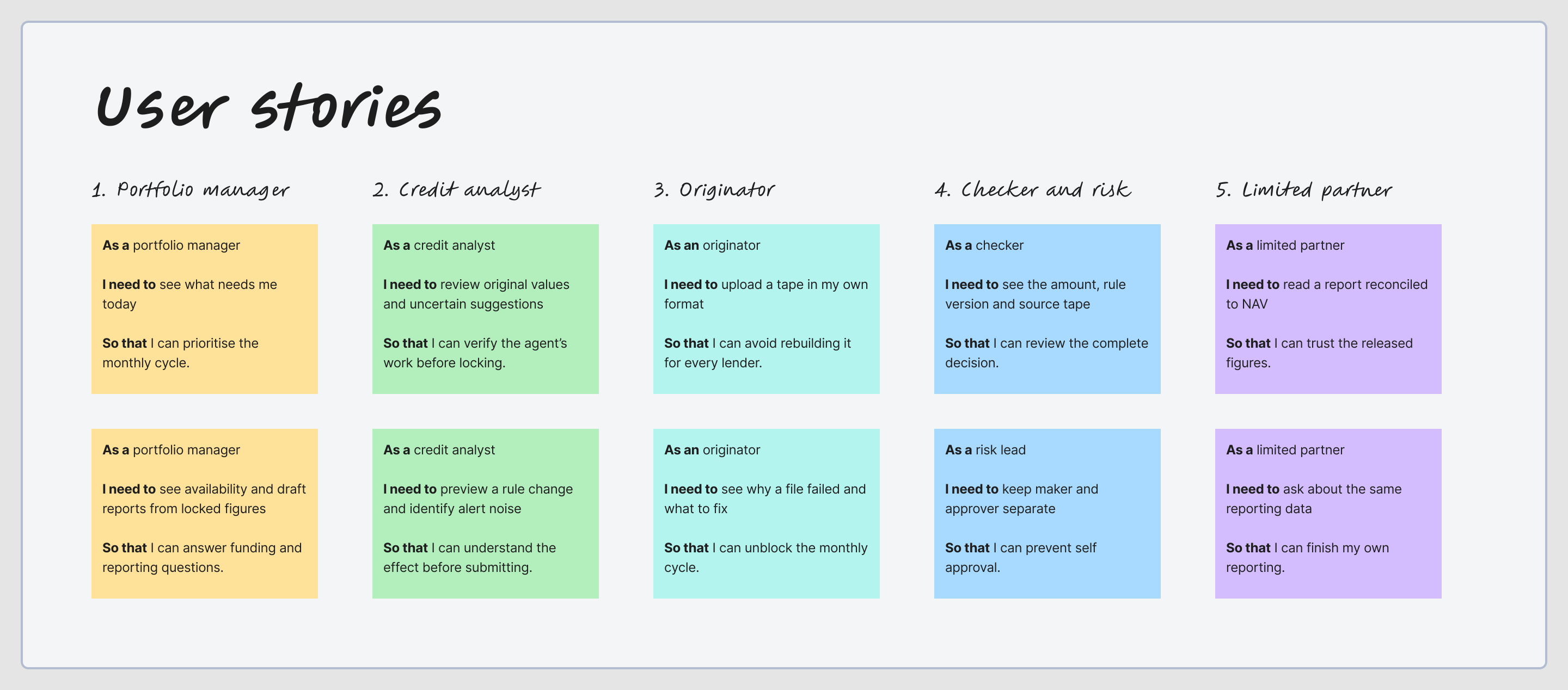
Understand who does the work. I mapped the responsibilities of the portfolio manager, analyst, originator, checker and limited partner.
Look at similar products. I looked at Cardo AI, Finley and Setpoint, as well as tools for reviewing imported data and managing rules. I used these references to explore how people check a calculation, review a suggestion and approve a change.
Start with the work that happens every month. The monthly tape and funding cycle received the most attention. Less frequent onboarding, rule changes and investor questions still need clear entry and exit points.
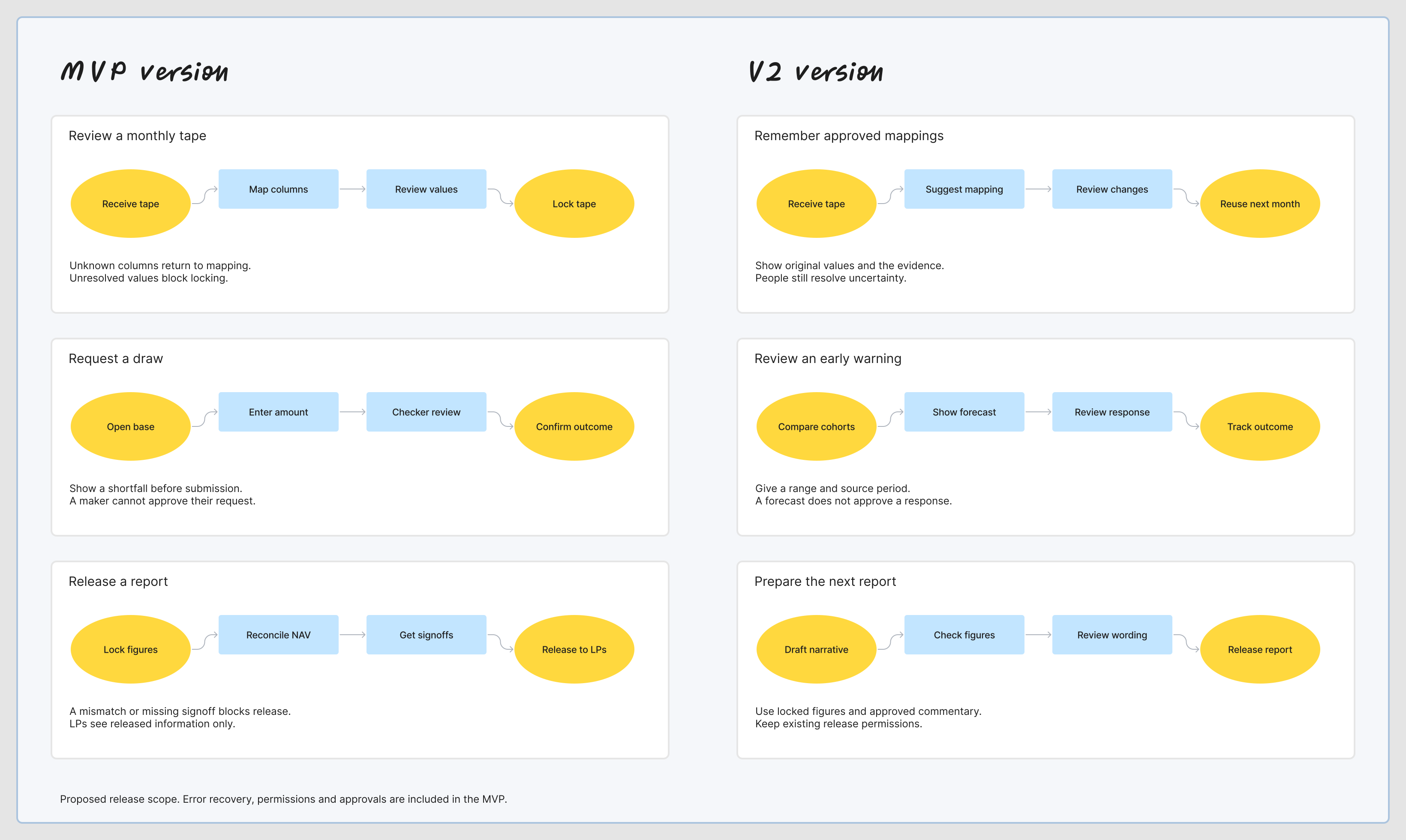
The MVP needs to cover the whole monthly process, including failed uploads and approvals. V2 adds suggestions, earlier warnings and help with report writing. I would test the basic workflow before adding those features.
A tape moves from received to mapped, reviewed and locked. A rule moves from draft to submitted, approved and live. A draw moves from draft to checker review and release. The person making a change cannot be the person approving it.
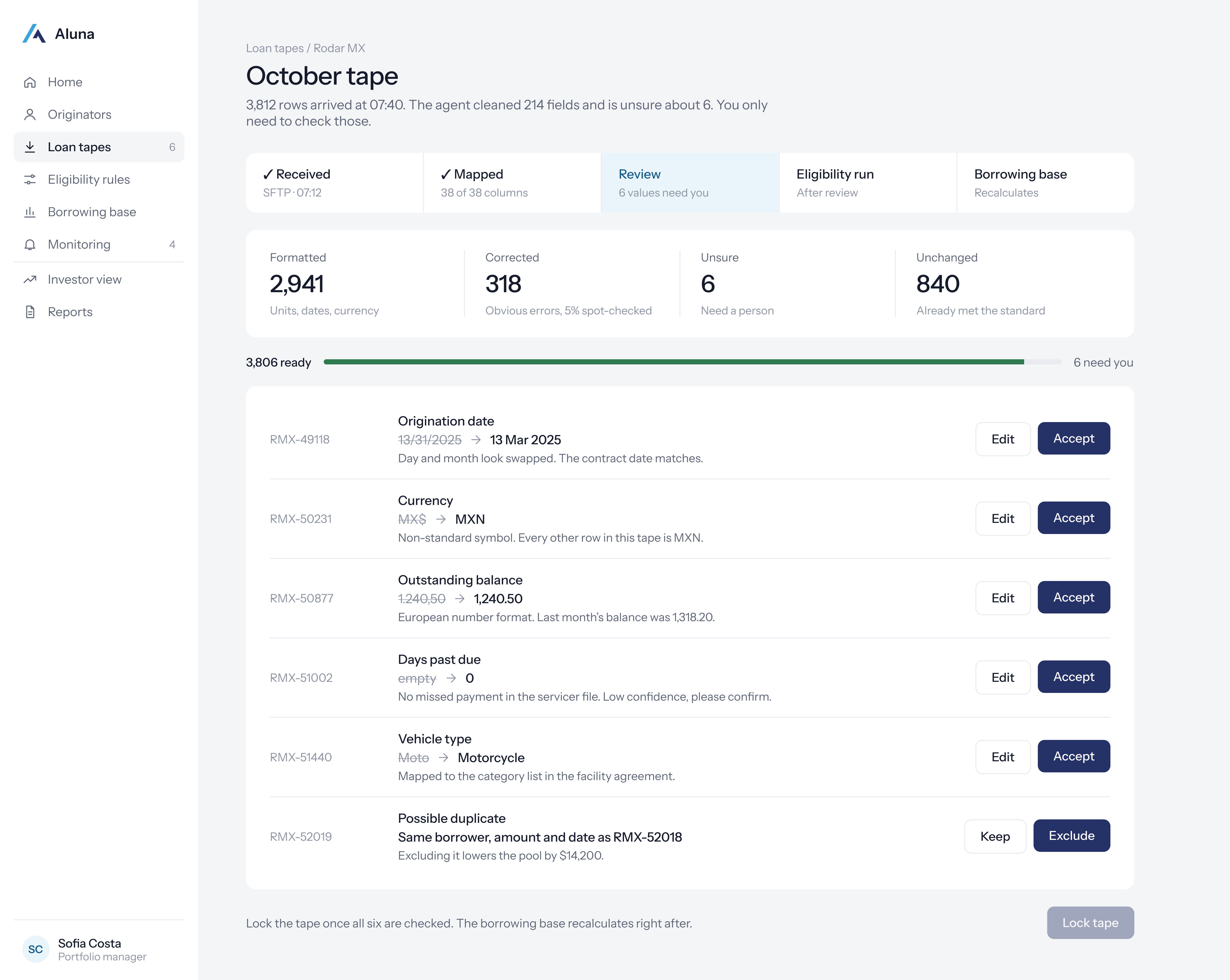
I kept the original value, suggested change and file version together. Any unresolved mappings need to be reviewed before the tape can be locked.
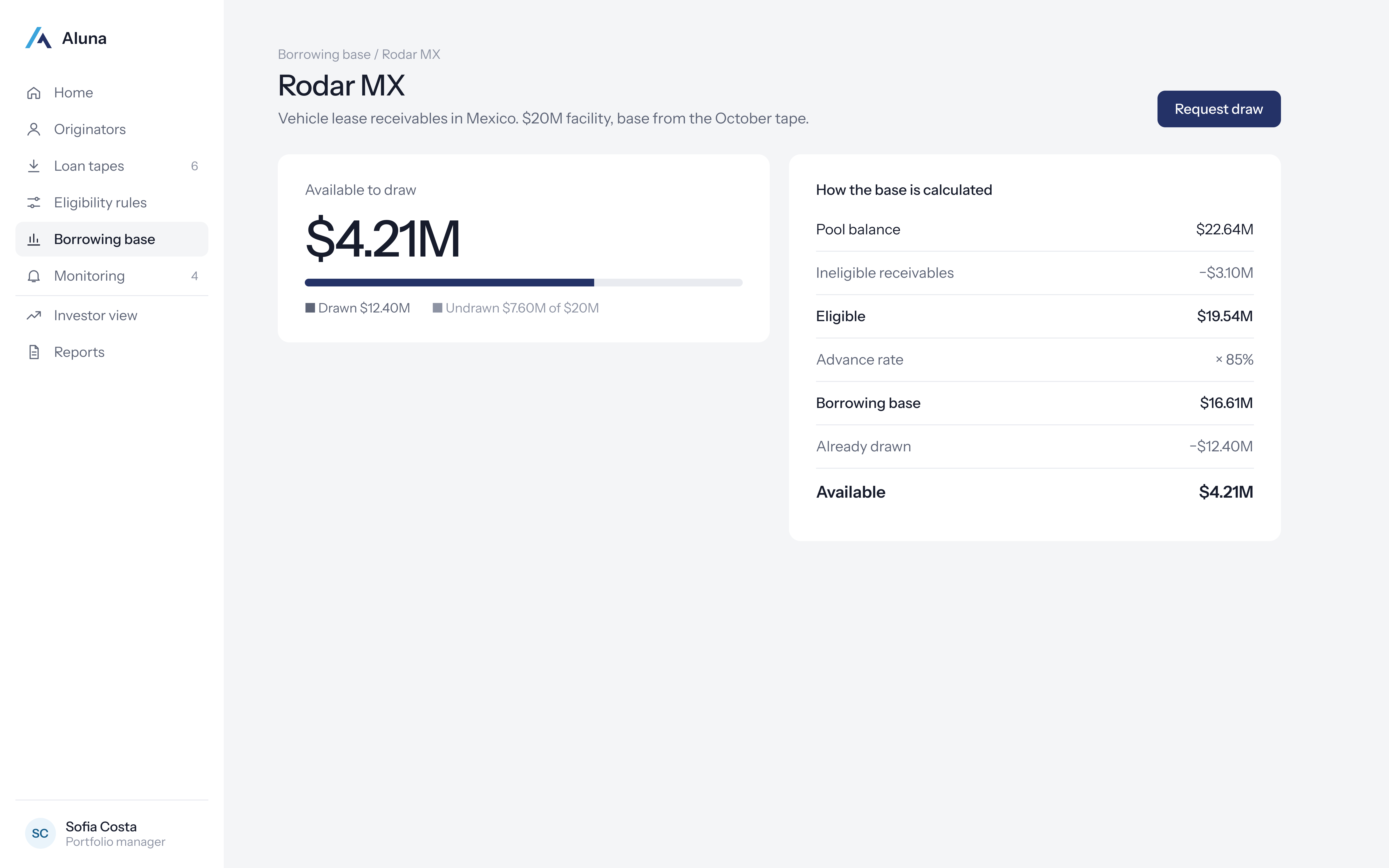
The base starts with the pool balance. Ineligible receivables are removed, then the advance rate is applied. Existing drawings are subtracted to show what is available.
The current rules stay in use while a change is reviewed. The available amount and source versions need to be checked again when the request is approved.
The report is checked against NAV and reviewed by the required people. Only the approved version appears in the investor view.
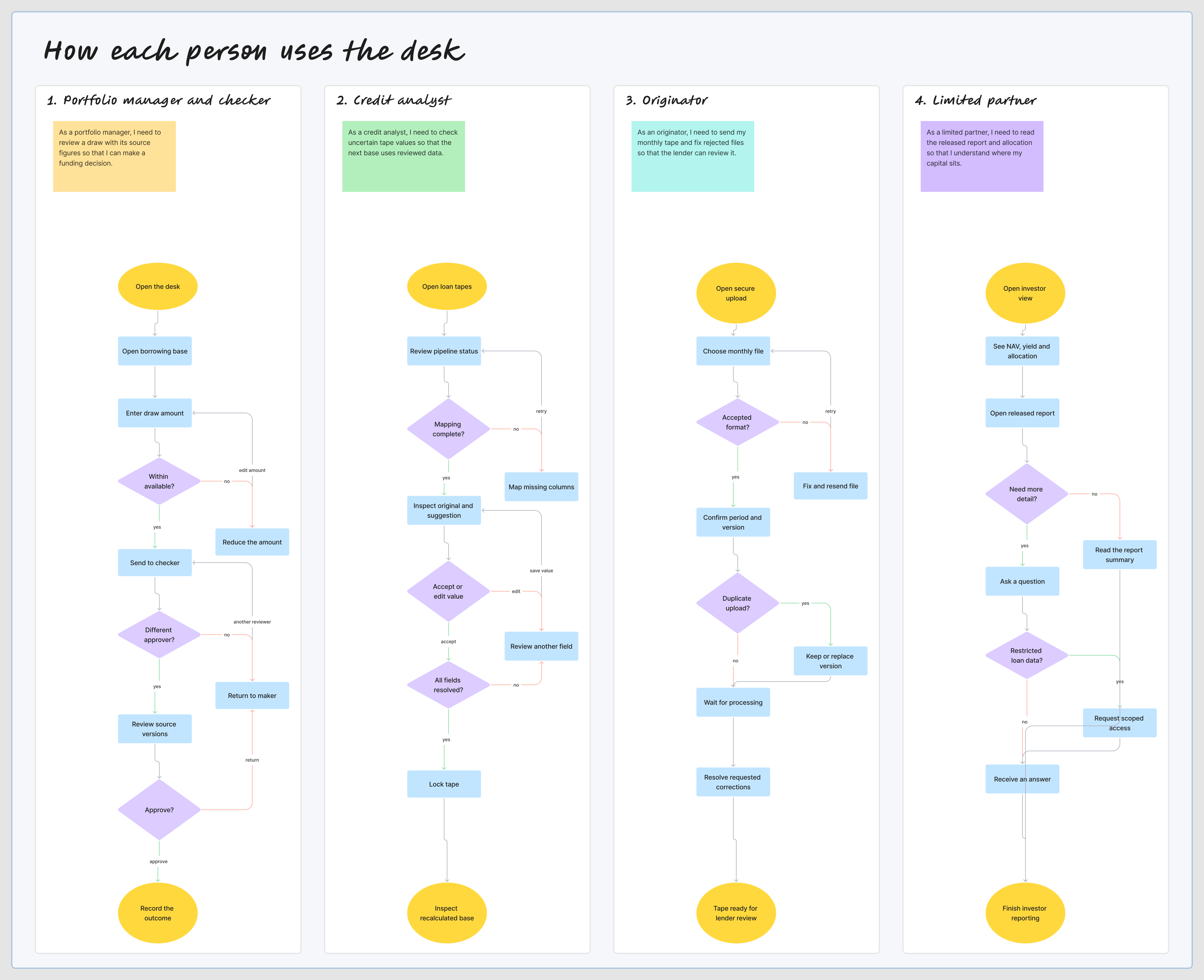
I mapped the steps for each person, including the points where they need to make a decision or fix a problem. These flows helped me decide which screens and states to design.
I designed eight main areas, from onboarding an originator to preparing the investor report. Here is what each screen does and why I included it.
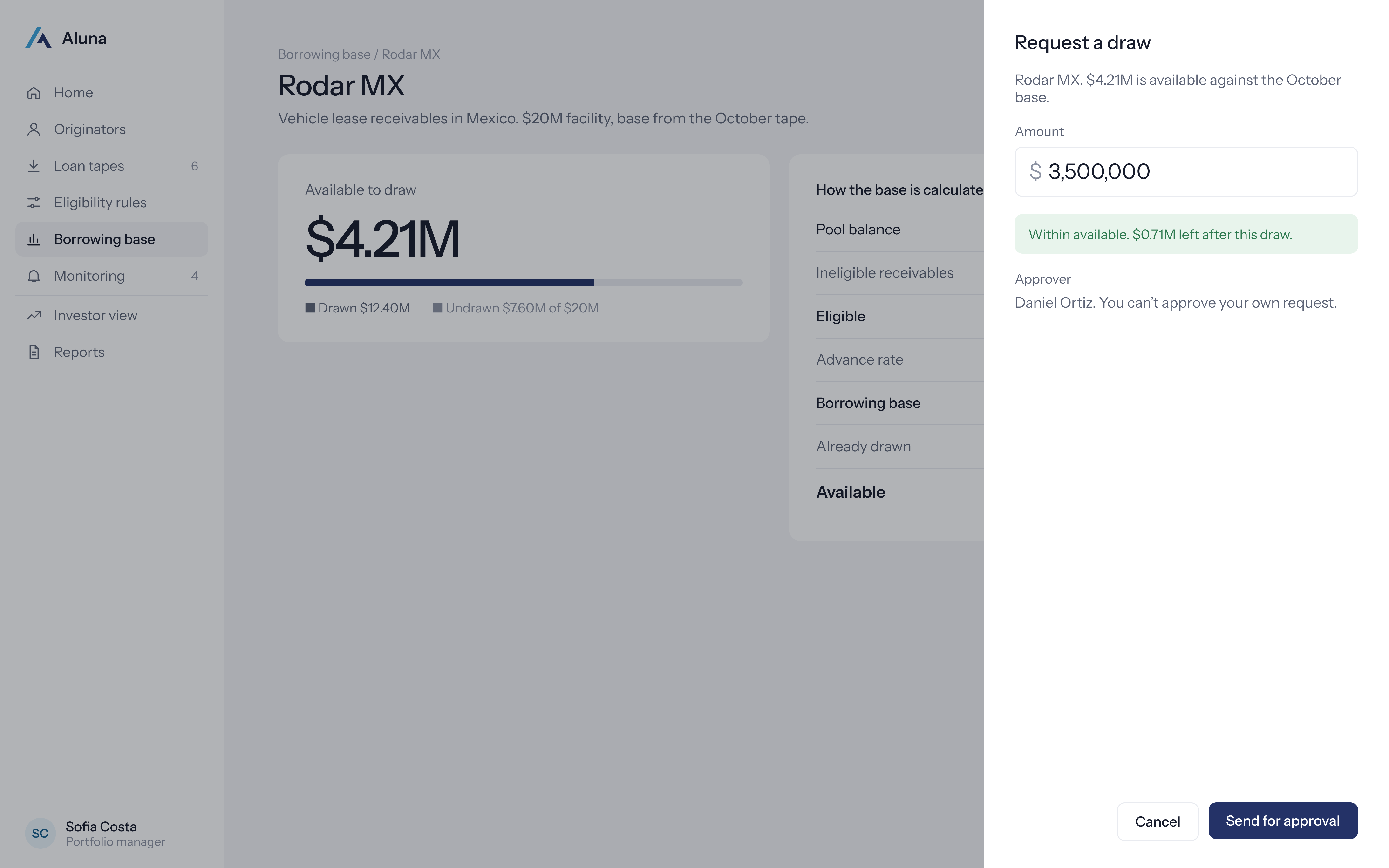
The screens use sample companies and figures. The draw request opens from the borrowing base screen.
The home screen shows the portfolio figures and the tasks that need attention. I kept the tape list and watchlist nearby, so the manager can check which originator needs a follow up.
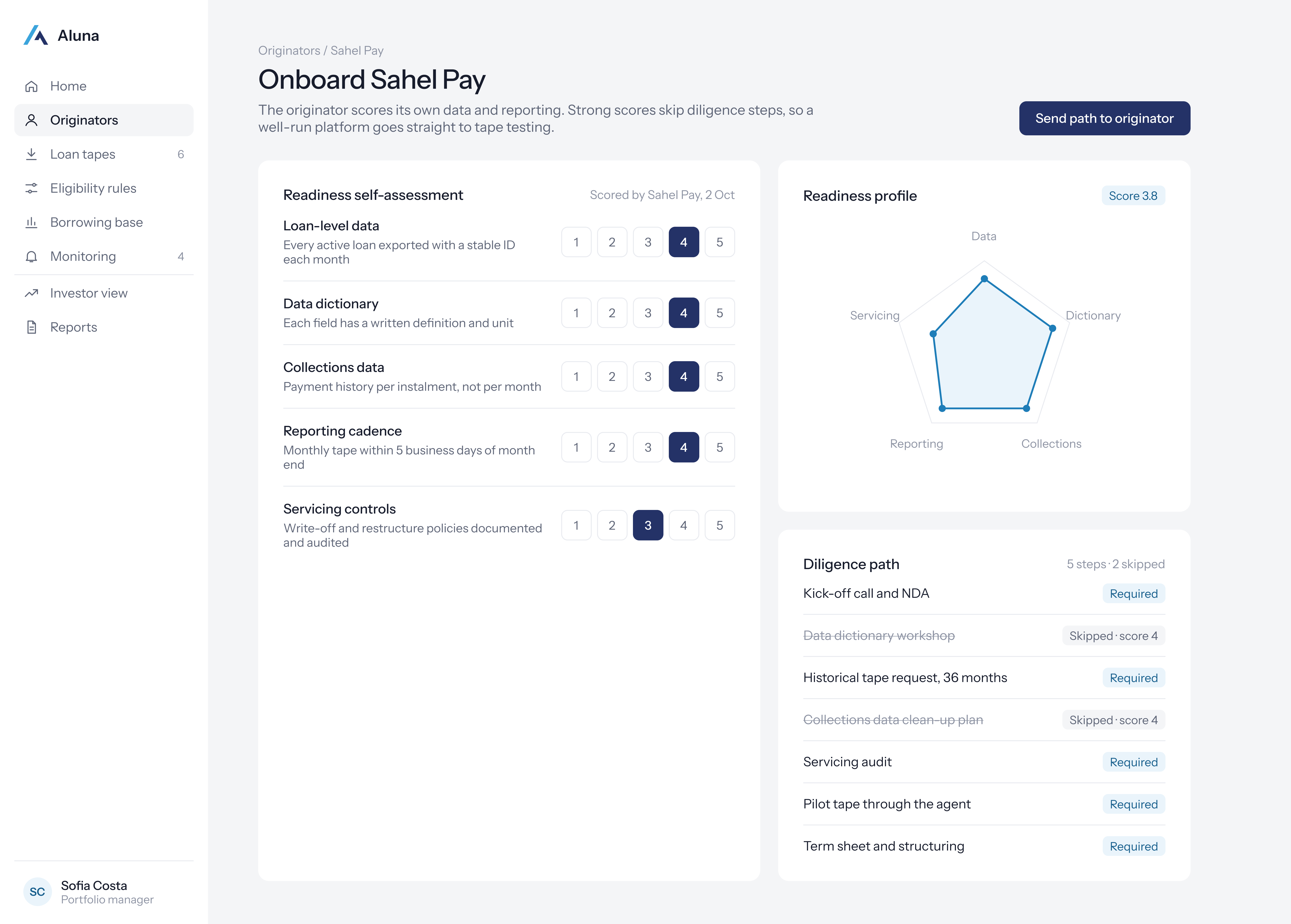
The originator answers questions about its data and reporting. The readiness profile helps the team decide which diligence steps are needed before testing the first tape.
The tape screen shows where processing has reached. The analyst sees the values that need checking, alongside the original data and a suggested correction. They can accept or edit each value before locking the tape.
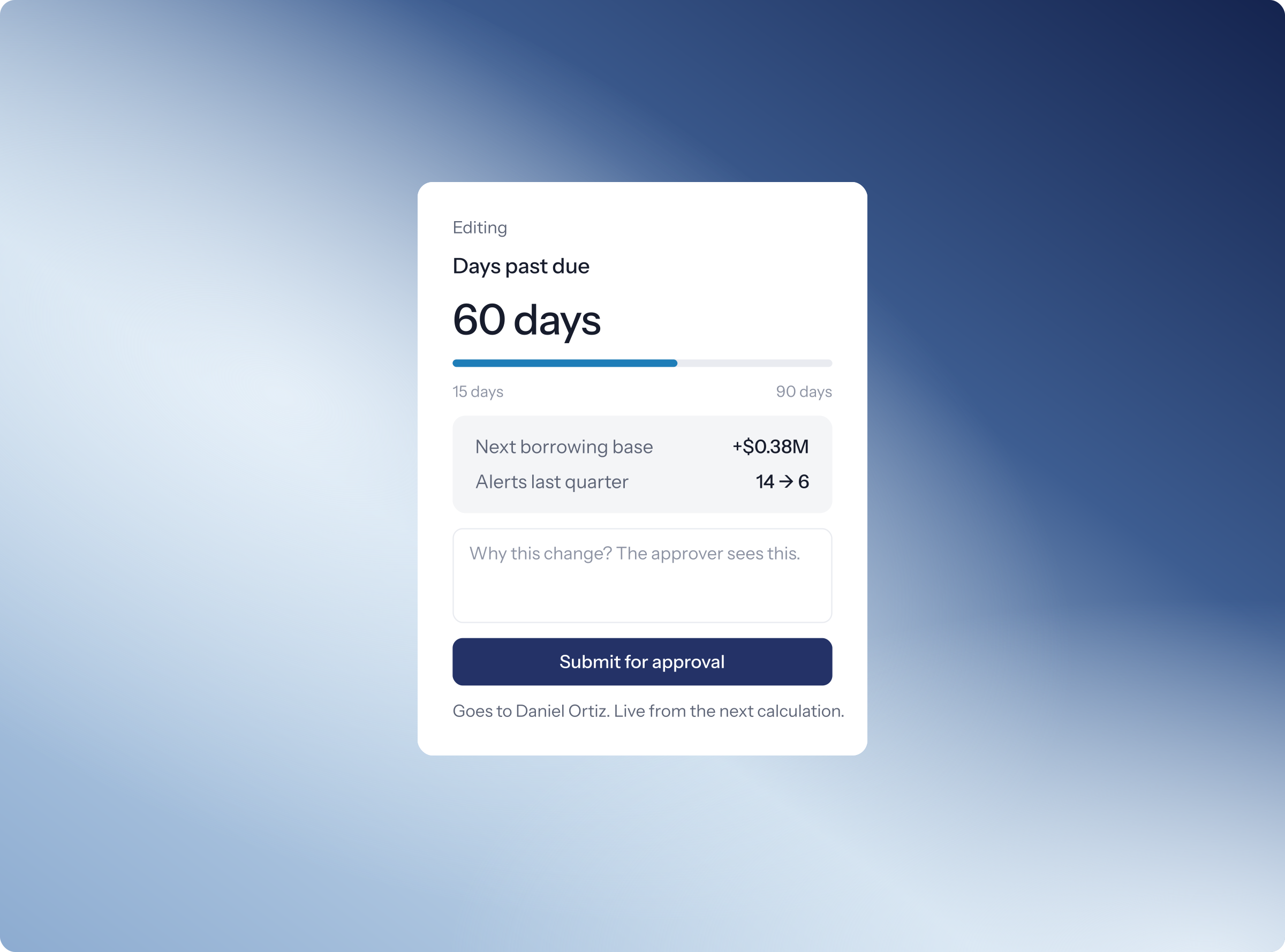
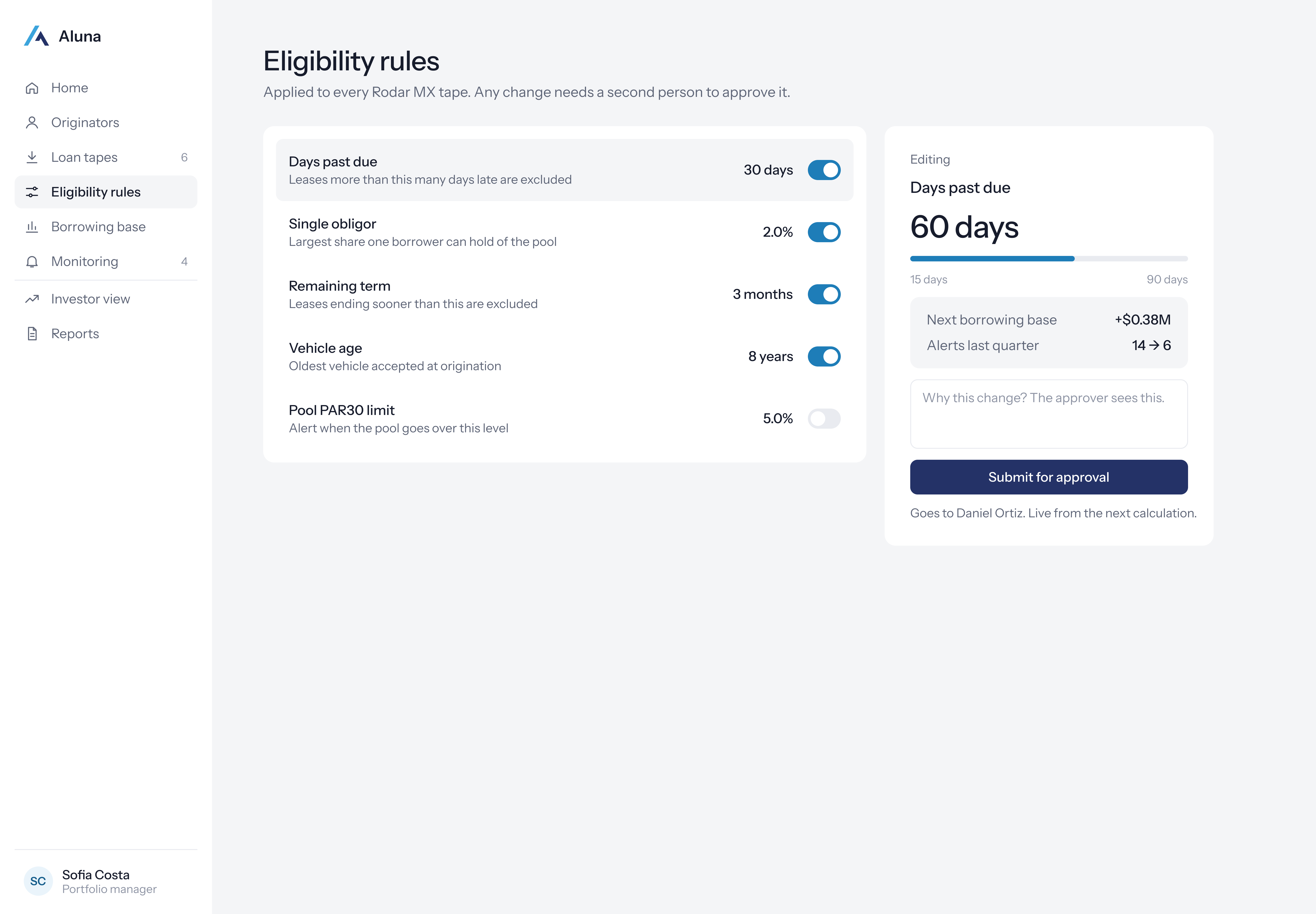
The analyst can change a threshold and see the estimated effect on available funding and past alerts. They must add a reason and send it to another person for approval. The existing rule stays in use until then.
I showed the calculation step by step. In this example, $22.64M of receivables becomes a $16.61M borrowing base after exclusions and the advance rate. With $12.40M already drawn, $4.21M is available.
The draw form shows how much is available before the user enters an amount. A $3.5M request leaves $0.71M. Daniel Ortiz reviews the request because the person who creates it cannot approve it.
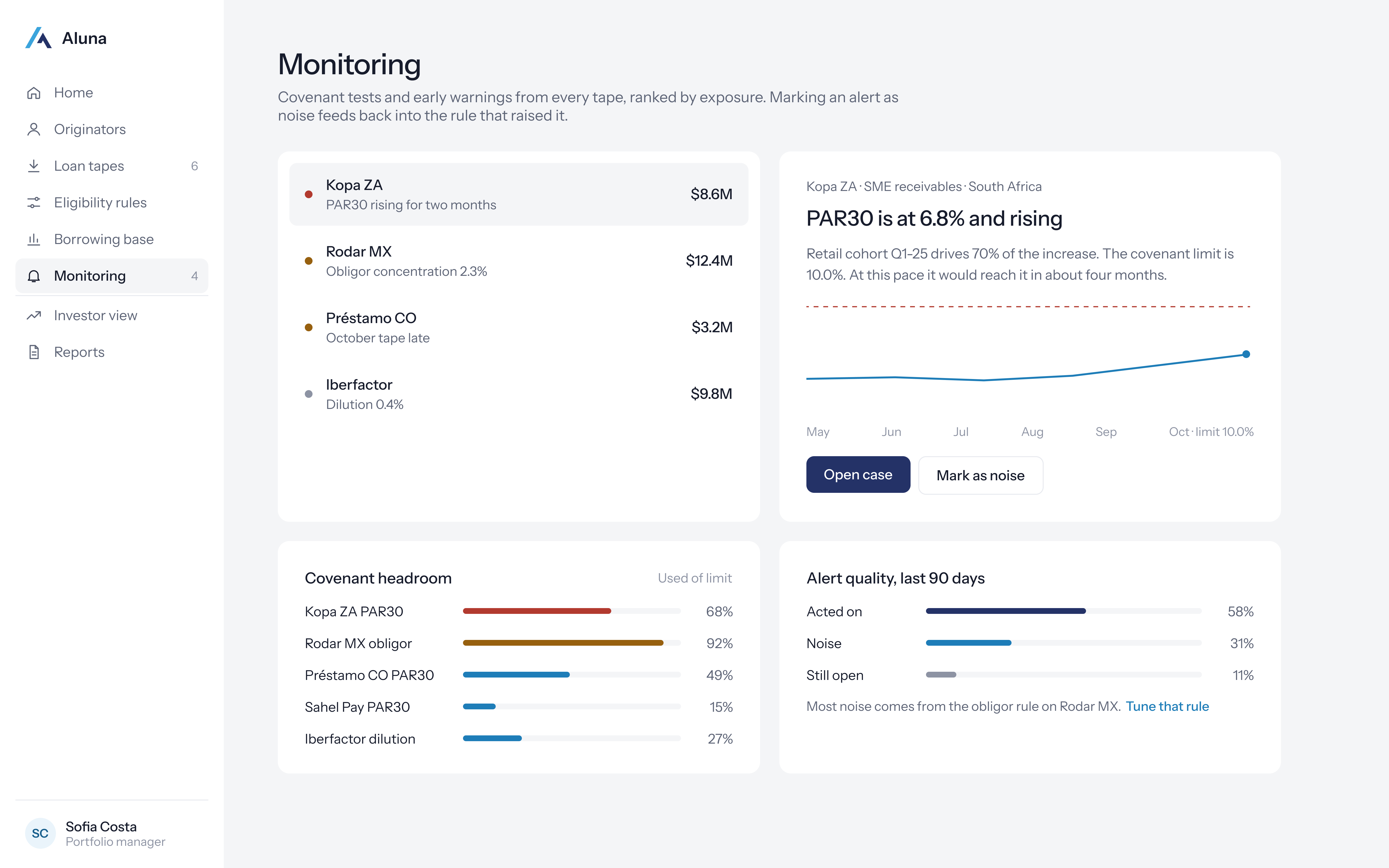
Selecting an alert shows what changed and which part of the portfolio caused it. The analyst can open a case or explain why it is noise. I also included covenant headroom and a summary of earlier alerts.
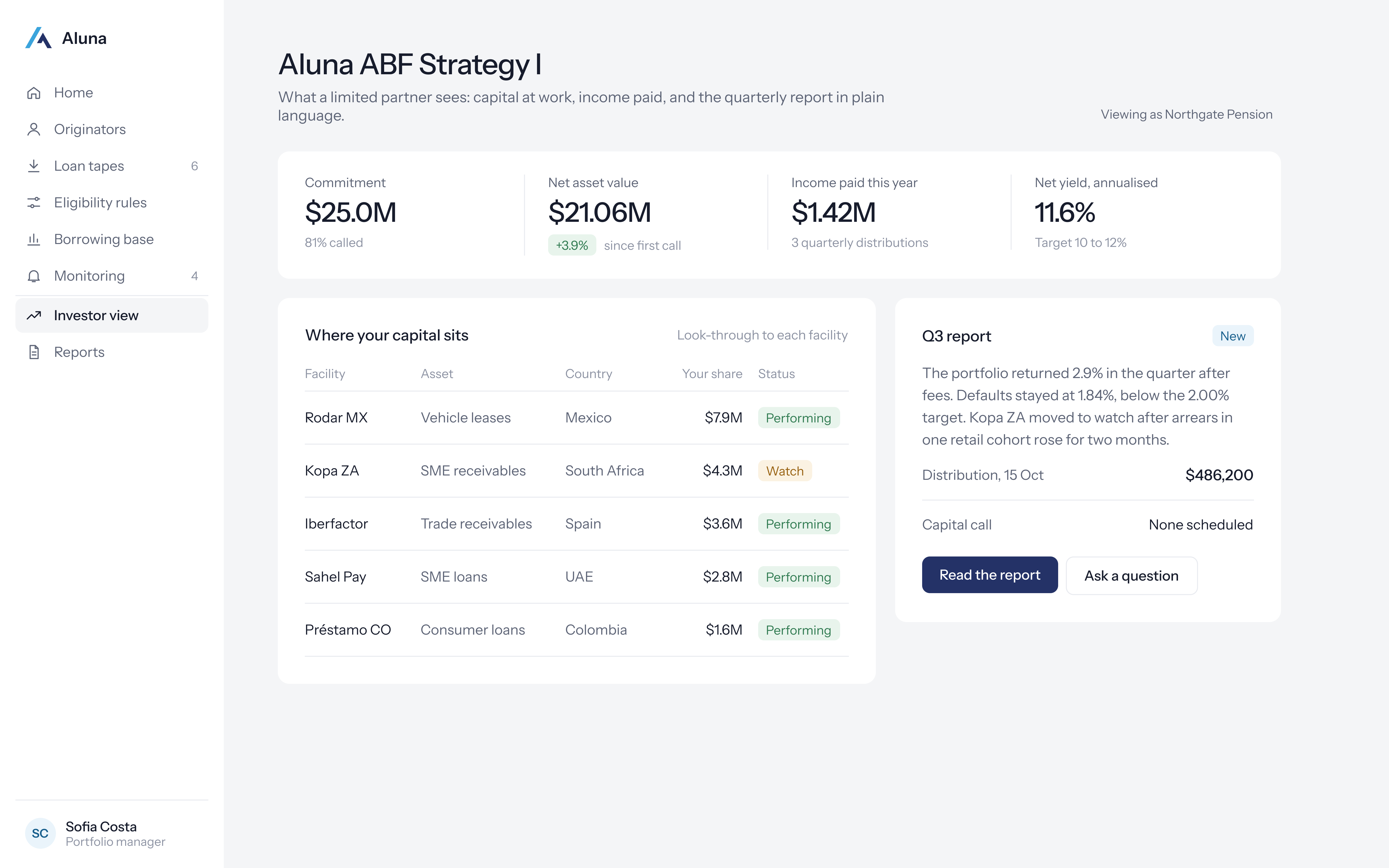
Investors can see NAV, income, yield and their share of each facility. They can open a released report or ask a question. Internal review notes and loan data are kept out of this view.
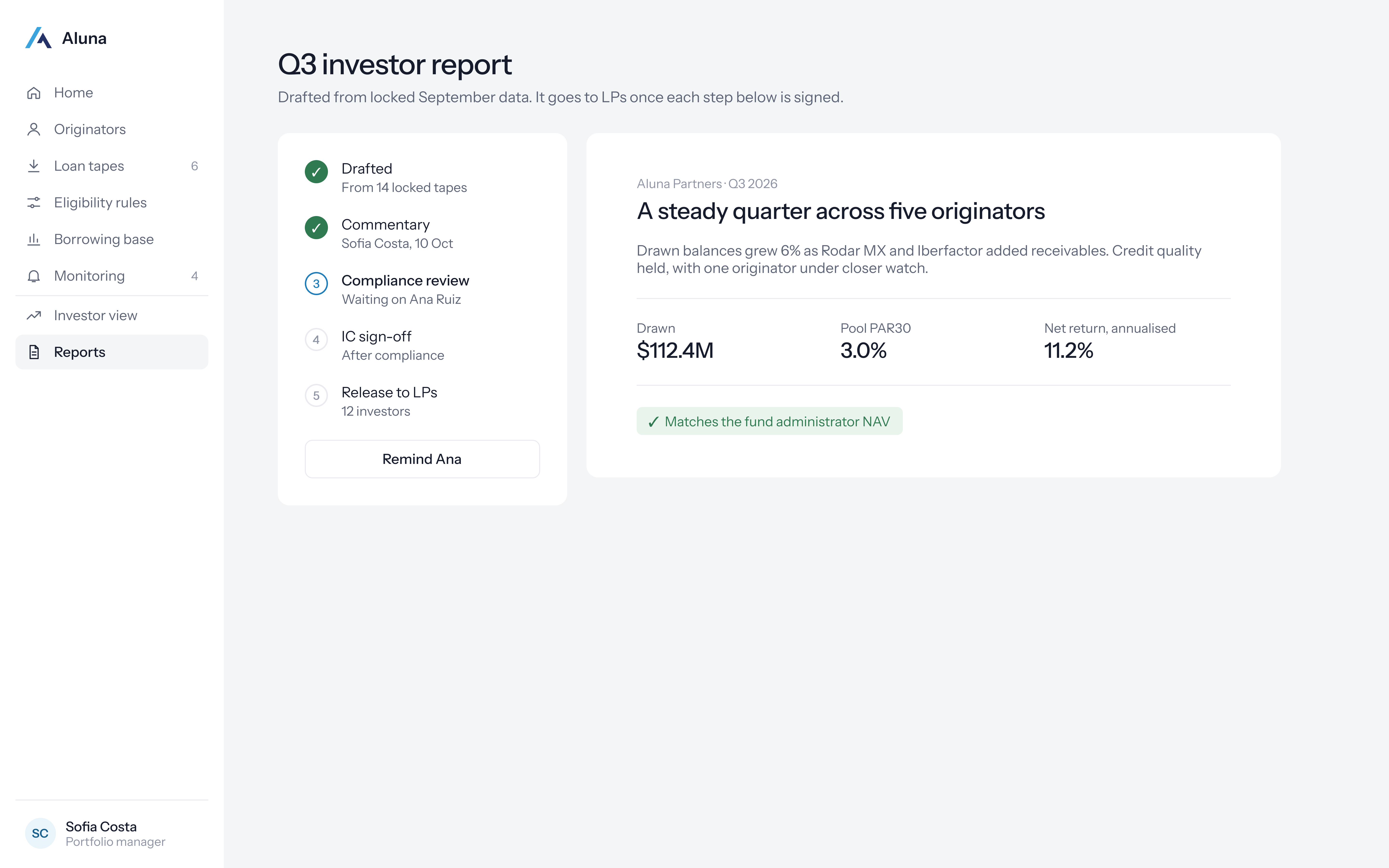
The report starts with locked September figures. The manager adds commentary, compliance reviews it and the investment committee signs it off. The report can only be released once the figures match NAV and the approvals are complete.
I used the flows to work through the main tasks and the cases where something goes wrong. The map below shows the screen connections. The video follows the monthly tape review through a draw request and a separate approval.
The walkthrough includes a correction, an amount above the available balance and the handoff to a separate approver.

I designed the messages that appear while someone is entering an amount, waiting for approval or trying to save their work. The message sits next to the action it relates to.
These examples show a valid draw, an amount above the limit, a request that needs another approver and a lost connection.
DRAW AMOUNT / WITHIN AVAILABLE
Rodar MX. $4.21M available.
Approver · Daniel Ortiz
DRAW AMOUNT / SHORTFALL
Rodar MX. $4.21M available.
Submission stays blocked until corrected.
APPROVAL / SECOND PERSON
The maker’s request stays read only.
SYSTEM / CONNECTION LOST
Show the time of the last known data.
Resume at the interrupted review step.
I would use the tasks below to check whether people understand the figures, notice errors and know who needs to approve a decision.
Targeted review in the tape example.
A design target, not measured time saved.
Separate maker and checker for controlled decisions.
A proposed approval rule.
Connect source tape, rule, calculation and release.
A traceability goal to validate.
| Task | What success would show |
|---|---|
| Clear the Rodar MX tape | Resolve uncertain values in under three minutes without needing the full table. |
| Request $3.5M, then try $5M | Understand availability and notice the shortfall before attempting submission. |
| Change a threshold | Read the effect on the base and explain who approves the change. |
| Investigate a Kopa ZA alert | Distinguish risk from noise and give a reason for the response. |
| Review the LP report | Find NAV, trace the reporting period and understand which data is restricted. |
Working through the flows helped me spot the gaps between screens. Showing a result was only part of the job. I also needed to explain which data it used, who could act on it and what happened if the process stopped.
Next, I would test the prototype with analysts, portfolio managers and investors. I would pay particular attention to how they check suggestions, review approval history and understand the report. The rules and data model would also need review with a lending team.